
Every set logged, the last session in view.
Each set starts from the previous session's weight and reps, so progress is measured against the last time.

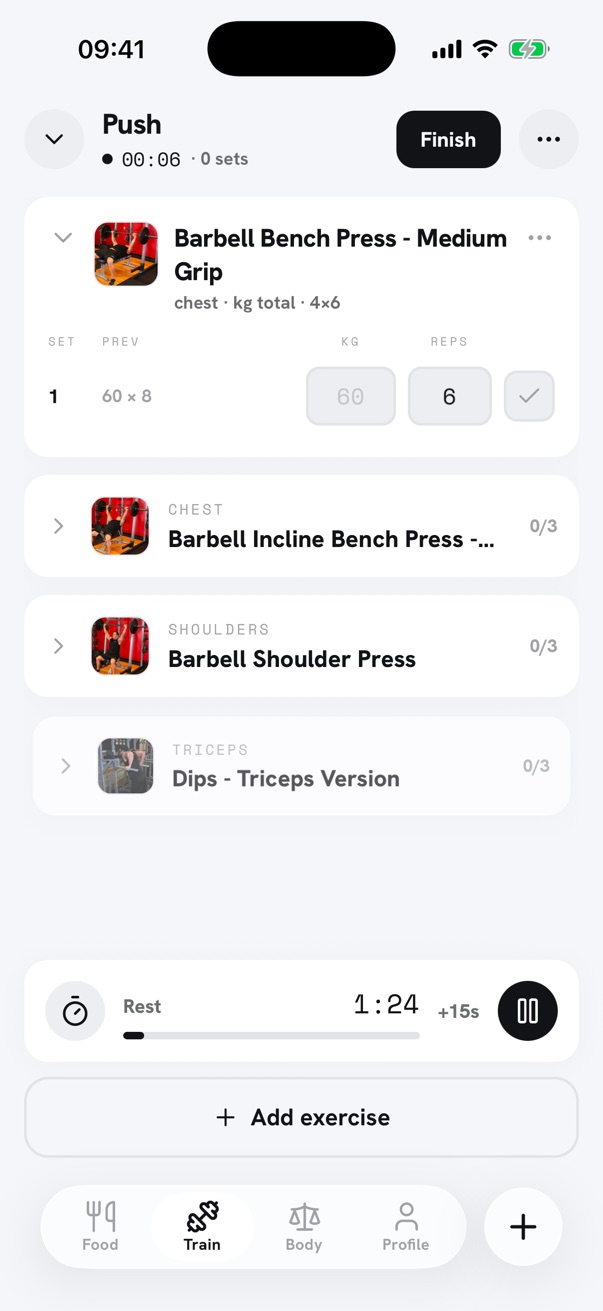
Last session pre-filled
Each set is pre-filled with the weight and reps from the previous session, with last time's numbers kept alongside for reference.
Rest timer
A timer runs between sets, 1:30 by default, with a notification when rest is over, even with the phone locked.
Records and estimated 1RM
Estimated one-rep max (Epley formula) and all-time records are detected on every set. Warm-up sets stay out of volume, 1RM and records.
Any kind of load
Load is entered as a total, per side, per dumbbell or as bodyweight, and unilateral sets are logged per side.
Offline and on the lock screen
A session starts and logs without a connection, then syncs. A Live Activity keeps the exercise and the rest countdown on the lock screen and in the Dynamic Island.
Logging, templates, history, statistics, records, the rest timer and the Live Activity.
Weight and rep suggestions for the next set, from each exercise's history, and training programs laid out over the week.
Questions
- Is the workout log free?
- Yes. Sessions, templates, history, statistics and records are free, with no cap on history. Stacks Pro adds next-set suggestions and programs.
- Does it work without a connection?
- Yes. A session can be started and logged offline, and it syncs once the connection is back.
- Can dumbbell and single-arm exercises be logged?
- Yes. Load can be entered per dumbbell or per side, and unilateral sets are recorded per side.
Food and training in one app.
Stacks records meals, macros, workouts and body weight on iPhone.